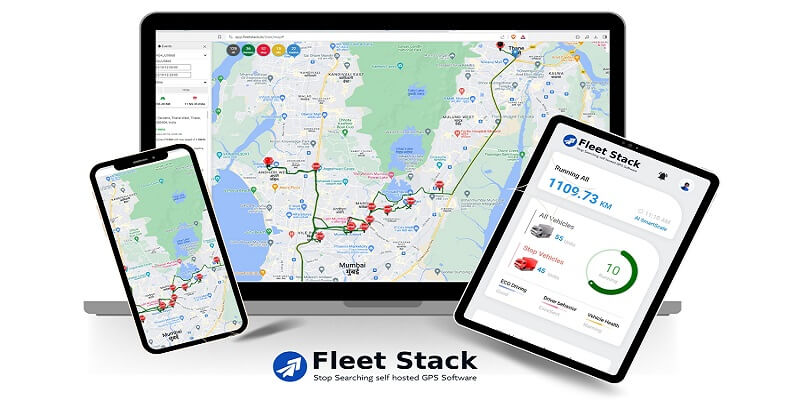
This article is about how to Develop Your Own GPS Fleet Tracking Software. Whatever vehicle you use for your business, keep it in good shape. This helps control your operational costs. However, to keep it that way, companies need to invest in tools that can help in the long term. A custom real-time GPS fleet tracking system can greatly improve business transportation management.
Many GPS fleet tracking software options exist. However, if you want to create your own, it is important to know the steps. Faulty technology can lead to inaccurate vehicle monitoring. This may derail your assets and cost your business money. This article explains why you need a GPS tracking device and how to make one based on our own experience.
Overview of GPS Fleet Tracking Software?
GPS fleet tracking software uses GPS to provide real-time vehicle information. Fleet tracking systems show where vehicles are on a digital map. They collect data from cars and trucks through a device mounted on each vehicle. This uses telematics. It monitors vehicles with GPS and onboard diagnostics (OBD).
Companies can use that information to decide strategically how to operate their fleet.
Reasons to use GPS Fleet Tracking Software
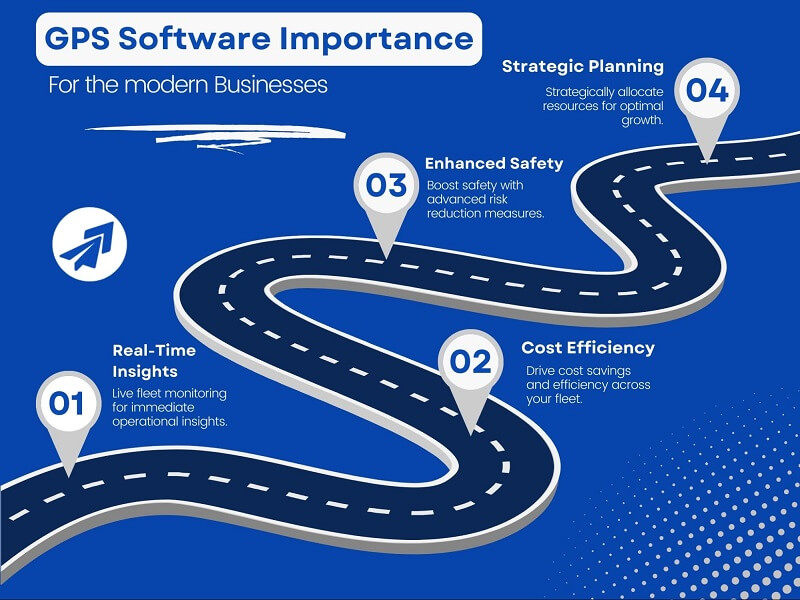
If your business depends on vehicles, getting GPS fleet tracking software is essential. Here are some of the reasons:
Controlled Driving Risks
GPS tracking software watches how drivers behave on the road. It checks for things like speeding and hard braking. It can quickly alert drivers to help them stay safe. This may save money by reducing accidents and insurance claims.
Reduced Fuel and Operating Expenses
GPS tracking helps drivers choose the best routes and avoid traffic jams. Businesses save money on fuel and vehicle upkeep. They use less fuel and spend less time driving. Better planning helps you achieve more with less. This streamlines operations and cuts costs.
Better customer service
Businesses can provide better arrival times and ETAs. They can respond to customers better by using exact location and arrival time data.
Enhanced Security
GPS fleet tracking software helps find vehicles that are lost, stolen, or taken without permission. When a car leaves a designated region, managers can be informed with the aid of geofences.
Features to Consider Before Developing Your Own GPS Fleet Tracking Software:
Before you make your own GPS tracking software, consider these features:
- Fuel Mileage Optimization: Businesses use algorithms to make their fleets more sustainable. Ensure the software has a feature for the fleet manager to track fuel use.
- Custom Alerts: Get alerts for route changes, idle times, maintenance needs, and speeding. An efficient GPS tracking system makes this possible. These notifications maximize operational effectiveness and promote company growth.
- Tracking Trip History: This function tracks every vehicle’s travels. It helps spot unapproved trips or detours from the best routes. It offers information on stopping locations, idle time, acceleration, and distance.
- Integration Capabilities: GPS systems can boost productivity by easily connecting with various software programs. This includes fleet management and dispatch systems, which help streamline workflows.
- PODs and ETA: Today’s GPS tracker software relies on ETAs (Estimated Time of Arrival) and PODs (Proof of Delivery). Users need easy access to delivery information. ETA updates track shipment arrivals, and PODs verify successful deliveries. These features are available upon request from your solution provider.
Step-by-Step Guide to Developing Your Own GPS Fleet Tracking Software using Fleet Stack
Here’s a quick guide to developing your GPS fleet tracking software with Fleet Stack. You can use this for your fleet business:
- Download the Software: First, visit the Fleet Stack website. There, you’ll find the option to download the software package. The process is simple and quick.
- Setting Up the Server: You can choose a server provider like AWS, Microsoft Azure, GCP, or GoDaddy. Then, you can set up a Windows Server with a permanent IP address.
- Installing the Software: Next, follow the on-screen installation instructions. Fleet Stack has a one-touch installation setup that ensures a hassle-free experience.
- Account Registration: After installing, launch the app on the server. Then, register your account and set up the software as needed.
- Customizing your Application: Fleet Stack offers a customization option. You can even build your app using Fleet Stack Studio. Customize the app with your company logo and settings.
When you finish, you can use the software or app on your device to track your vehicle.
Leveraging the Benefits of Pre-built GPS Tracking Software
If you are looking for pre-built GPS tracking software, Fleet Stack is the right platform. The platform has ready-made solutions. So, you save time on development.
Conclusion
Creating your GPS-based custom software lets you add features as your company grows. With the right approach and strategies, building software can be a handy task. If you lack software development skills, try Fleet Stack’s GPS fleet tracking software. It’s a great pre-built solution.